

What happens if I get a call while using Socrait?
If you receive and answer a call during your Socrait session, the mic will switch to the call, then switch back to Socrait after you hang up. It's all seamless. Answer the call if you need to. Socrait does not block your normal texts or calls from coming through.
What is a "voice Name" in Socrait?
A voice name is the unique name that you use out loud to call on a student. For most students this is just their first name or nickname.
In many classes, two or more students share the same first name (or their first names sound the same). In these cases, you need to think of a way to distinguish the students. It is always best to ask your students if they have a preferred way to solve the problem. Students with common names will often have a nickname or already be used to writing their last initial on all their papers.
Example 1: John Andersen and John Smith
You can use John A and John S as the voice names.
Example 2:John Butler and John Smith
You might be able to use JB and John (if John Butler also goes by JB).
Example 3: John Butler and John Smith
You could choose to go with last names, like Butler and Smith.
Example 4:Watch out for names that are spelled differently but sound the same.
Jon Andersen and John Smith will have to have unique voice names, like Jon A and John S.
Lee Butler and Leigh Cooper will have to have unique voice names as well.
Do I have to say SOCRAIT aloud to get it to pay attention?
No! Socrait works on technology that is different from Siri, Alexa, and Google. Socrait just listens when you press the Start Streaming button.
You literally just teach as you normally teach. Maybe pay a little more attention to saying the names of your students when you want Socrait to collect the data.
Socrait looks for all the data it can find to help you at the end of class. Socrait is actually a group of several "workers" who are listening for a variety of different data.
Can I use my personal phone with Socrait?
Yes! The vast majority of teachers can – and are – using Socrait on their personal phones.
We treat any data captured through our service as subject to FERPA and student data privacy laws regardless of whether it comes from a teacher’s personal phone or a school-issued device. Any information we receive is considered educational records, and we process it only on behalf of the LEA, school, or relevant school official who is the authorized user.
We do not permanently store student information on the teacher’s phone. Information like voice names are pulled directly from the web to the device’s memory when logged in. When the app is closed, the memory is cleared.
We do not store any kind of audio files or transcripts on the phone. In fact, we never store audio files anywhere.
You can be assured that you are not carrying student data around on your personal phone so long as you close the Socrait app when you are done with each teaching day.
That said, please consult your school edtech leader about your school’s device management policies. We would be happy to do a call with them to go over our Privacy Policy, security, and any other questions they might have.
Can I use a mic with Socrait? (iPhone)
While we don’t specifically support a particular mic device, we know that there are many teachers using a lapel mic or earpiece-type mic device with Socrait and iPhones. We’ve had teachers use air buds, lapel mics, and even hearing aids to pick up their own voice data.
Just make sure the device is connected to the phone and working before you begin streaming your first class. The Socrait app will tell you what mic it is connected to.
Here are a few of the mics we've tested that should work well for you:
- TAGRY Open-ear Earbuds for any phone, cost ~$30, 13 hours battery life (nice if you don't like a device in your ear)
- GOORDIK Lavalier Mic for iPhone only, cost ~$20, 6-12 hours battery life
- RAZER Seiren BT Lapel Mic or Necklace Pendant, cost $70, 4 hours
- RIBIU Wireless Lapel Pin Mic for iPhone only, cost ~$20-30, 8 hours battery life
- SHOKZ OpenRun Pro 2 Bone Conduction Headphones, cost $140-$180 (the original OpenRun will also work, but the sound quality is not as good, if you plan to also use this to listen to music)
Again, when you use your mic device with Socrait, you should see the device displayed inside of Socrait when you stream the class. If you do not see your device displayed, then Socrait is not connected with it.
Note: We advise against wearing in-ear air buds for the whole teaching day. Some people will become sensitive to the plastic when it is in contact with the inner part of the ear for a long period of time.
Can I use a mic with Socrait? (Android)
While we don’t specifically support a particular mic device, we know that there are many teachers using an earpiece-type headphone and mic device with Socrait. In general, bluetooth connected headphone and mic devices work with Android phones and Socrait. These are the devices you might use to make a phone call with your Android phone.
Just make sure the device is connected to the phone before you begin streaming your class. If the mic device is not actively connected to your phone there will be no logged data from Socrait.
We recommend an over-ear option instead of an in-ear option. This will mean you can hear everything that happens in your classroom (important!).
Here are some of the bluetooth mics we've tested with Android phones that should work well for you:
- TAGRY Open-ear Earbuds, cost ~$32, 13 hours battery life
- RAZER Seiren BT Lapel Mic or Necklace Pendant, cost $70, 4 hours
- SHOKZ OpenRun Pro 2 Bone Conduction Headphones, cost $140-$180 (the original OpenRun will also work, but the sound quality is not as good, if you plan to also use this to listen to music)
When you use your device with Socrait, you should see the device displayed inside of Socrait when you stream the class. If you do not see your device displayed, then Socrait is not connected with it.
Notes:
- It's a known issue that plug-and-play mics do not work with Socrait on Android devices. These are mics that connect to the phone through a USB-C receiver. We are actively working on solving that problem. Any bluetooth headphone with mic should be fine because it will automatically become the active mic on Android..
- We advise against wearing in-ear air buds for the whole teaching day. Some people will become sensitive to the plastic when it is in contact with the inner part of the ear for a long period of time.
Why am I asked to allow notifications on the Socrait Android App?
During streaming, we show a persistent notification in the notification tray that indicates Socrait is active in the background, which keeps the fact that we are listening to the mic visible/transparent, even if the app is switched away from.
In the future, we may display reminders via notification (e.g. to start Socrait for class). Our intent would be to provide an opt-out mechanism if or when we build that capability, to keep teachers in full control.
Why might I want a phone pouch and how do I get one?
You need the mic (your phone) to follow you around the room. You could hold it, but you probably need your hands for other things. A phone pouch is an easy way to solve this problem.
Go to our Phone Pouch page to order one.
Can my phone be charging while I use Socrait?
Certainly, you can charge your phone while using Socrait. In this case, you will want to use Socrait in one of two ways:
(1) Place your phone near where you teach (slightly elevated from a flat surface is best) and plug it in to charge.
(2) use a bluetooth mic of some kind, then your phone can be plugged in anywhere within range.
Can pre-service teachers use Socrait?
Any teacher or pre-service teacher is welcome to give Socrait a try using our Free for Teachers Socrait account during the 2026-2027 school year!
How does Socrait collect attendance data?
Socrait listens to hear the students you interact with in class. Every interaction involving a name is potentially a data point for attendance.
If you greet a student by their voice name, Socrait knows they are present.
”Hi Alina, welcome back!”
Any time you say a student’s voice name with a praise or warning, Socrait knows the student is present.
“Jeff, you are doing a great job of staying on track today!”
If you directly say the student is present, tardy, or absent, Socrait logs that data.
“Nice to see you, Scott. You are tardy though.”
Socrait can also interpret “everyone” phrases.
“Everyone is present today.”“Everyone but Jason is here today.”
How does Socrait collect behavior data?
Socrait is listening for you to speak the voice names of your students. When Socrait hears one, it looks backwards and forwards in the voice stream a couple seconds from the name to grab the context of the event.
“Maria, stop talking over me!”
gets logged as an event (WARNING) for Maria.
“Thanks for cleaning the boards, John”
gets logged as an event (PRAISE) for John.
How do I get the mobile app?
The mobile companion app for Socrait acts as the microphone for your voice. It streams your class and collects data from your voice. We don't store student data on your phone.
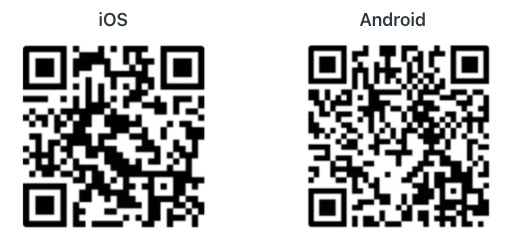
Download the Mobile Companion App from a Link
iOS: https://apps.apple.com/us/app/socrait/id6744591167
Android: https://play.google.com/store/apps/details?id=com.socrait.mobile
Download the Mobile Companion App from a QR Code
How do I pronounce Socrait?
So-crate, rhymes with “so great”
Why the name Socrait?
Socrates was (hypothetically) one of the world’s greatest teachers who did not believe in writing anything down. With Socrait, you won’t have to write down all this data anymore. Also, it could have something to do with this.
Can I use Socrait with a virtual classroom?
Yes. Set up the Socrait app on your phone as you would for an in-person class.
When you start the virtual class, also press Start on the Socrait app.
Set your phone down so that the phone mic is facing your mouth and will capture your voice.
So long as you still call on students by name and teach something out loud, you should be able to see your classroom data in Socrait.
Do you have a video about Socrait I can watch?
Absolutely! Here’s a quick 2-minute overview video that gives you a great look at how Socrait works:
Watch the video on YouTube
What is Socrait's mission?
The mission in our PBC Charter is "Developing and accelerating intelligent tools that save educators’ time and improve the teaching & learning experience." A PBC is a public benefit corporation (similar to a B-Corp).
What does this mean practically? We want educators to be able to focus on what truly matters—teaching and inspiring students, creating motivating relationships, and helping students to grow into their full potential.
We believe AI should make teaching professionals more powerful, not redundant.
Socrait augments teachers by amplifying their presence, insights, and impact.
We are on a mission to help teachers #teachhappy.
What’s the difference between a Free for Teachers Socrait Account and a Socrait School Account?
Socrait is available free for teachers for the 2026-2027 school year. We want teachers to be able to try it and see the power of having the data day after day for the entire year. For the 2027-2028 school year, teachers will need to talk to their principals about getting a paid school account. We can't do this free forever.
A Socrait School account will let teachers easily share the right data with the right people at the school. This is available right now for schools that pay for a site license.
For example, when a principal is about to have a meeting with a student about behavior, they will be able to see a summary of the student's behavior in classes. Note we only share a summary, not the details.
In the future, if a Special Ed teacher is working with a student to catch them up, they would see the summary of the class including the assignment clarifications and changes. This streamlines the process of helping the student since the Special Ed teacher will not have to wait to get the info from the General Ed teacher.
Other staff at the school do not see the specific phrases and language the teacher says. They can only see summarized or aggregate data.
Note that teachers can delete the data for a class any time they wish. Teachers are in full control of their data.
For teachers we believe: Your voice. Your data. Your piece of mind.
What web browser should I use for Socrait.app?
We test the Socrait web app extensively on Chrome-based browsers (Google Chrome, Microsoft Edge). Other browsers like Firefox and Safari are untested.
How close should the phone mic be to my mouth?
The closer the mic is to your mouth, the more of your "teacher voice" Socrait will be able to catch. Wear you phone pouch high on your chest for best results.
Can I turn off my screen while Socrait is running on my phone?
Yes, you can turn off your screeen while Socrait is running on your phone. In fact, Socrait will the screen off itself after a short time.
Do I need to say WARNING and PRAISE out loud for Socrait to collect these?
No! Use the name of one of your students and give a warning or praise. Socrait was designed to be used as you would normally teach.
The voice name can be in any part of the message. Here are a few examples.
Cameron, close that Chromebook right now!
Stop pushing each other Cameron and Jim!
Good job Jason - I'm proud of your focus today!
Amazing job on that presentation Kristin!
Socrait grabs the fragment of speech and then evaluates whether it thinks the fragment is a warning, a praise, or neither.
Can I use other Apps while Socrait is running?
Yes, you can use other apps on your mobile device while Socrait is running.
Note: If you receive and answer a call during your session, the mic will switch to the call, then switch back to Socrait after you hang up.
Why don’t I see actions for every warning or praise?
Message actions are generated anytime there are 2 warnings or 2 praises for a student.
We think Socrait’s selection of actionable events could be more nuanced in the future. If you have ideas, let us know.